
Stable Internet for Online Classes: the ₹3,000 Setup
Every minute a class spends on “can you hear me now?” is a minute of teaching gone. Three fixes, ₹1,500–3,000 total, solve most of it — plus a look at how far we go on our own end.
Founder of Shrividhya and its Mathematics faculty. B.Tech in Electrical Engineering (Delhi College of Engineering) with over a decade teaching IGCSE and IBDP Maths 1-on-1. More about Vidit Aggarwal →
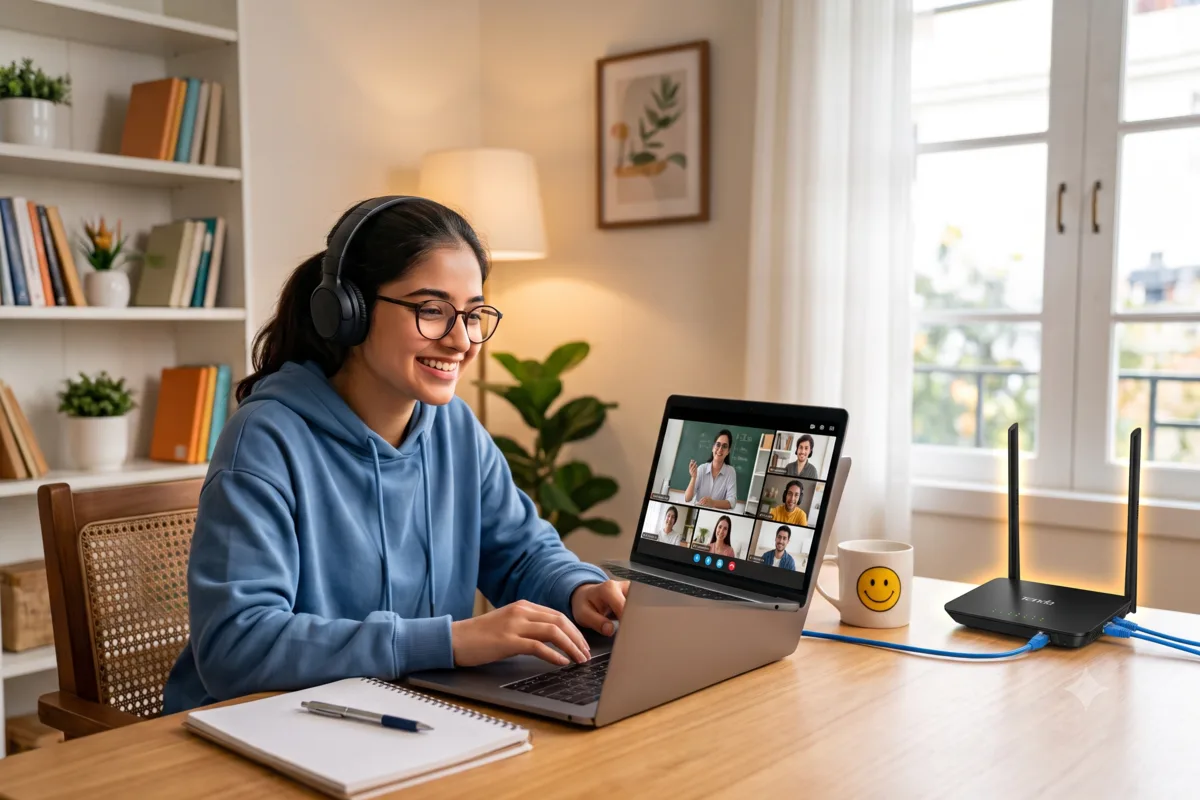
I teach live online classes every day, and I will tell you the unglamorous truth about them: the biggest avoidable time-waster is not the student, the teacher or the platform. It is the internet connection. A class that drops twice loses five minutes to reconnecting and another few to finding the thread again. Over a year of classes, that is whole chapters. The good news — and the reason this post exists — is that in an Indian home, most of that instability is fixable for between ₹1,500 and ₹3,000.
Stability beats speed
Families often respond to a bad class experience by upgrading to a faster plan. Speed is rarely the problem. A live video class runs comfortably on 10–20 Mbps — what it cannot survive is the connection disappearing, even for thirty seconds. A steady 20 Mbps line gives you a better class than a 200 Mbps line that drops when the power blinks or when you sit two concrete walls away from the router. So before touching your plan, fix the three things below, in order of cost.
Fix 1: Where the router is, and where you sit (free)
Walls are the single biggest hindrance between a router and a laptop. Indian flats are built from concrete, and every wall between the router and your study table takes a real bite out of the signal. The rule of thumb I give parents: sit within 5–10 metres of the router, with as few walls in between as you can manage.
Then declutter. Routers have a habit of ending up buried behind the TV, inside a cabinet, or under a pile of things on the shoe rack. Clear the area immediately around the router, and clear the path between it and the place your child studies. This costs nothing and is the first thing to try — often it is enough on its own.
Fix 2: A mini UPS for the router (~₹1,200)
Here is the India-specific part. A large share of “the internet dropped” complaints during class are actually power cuts — the fibre line is fine, but the router and modem lost power. The fix is a mini UPS (sold as a “router UPS” or “WiFi power backup”): a small battery that sits between the wall socket and the router and keeps it running through an outage for hours.
Oakter and Cuzor both make good ones at around ₹1,200. I use both at my own place — specifically this Cuzor 12V mini UPS and this 12V router mini UPS. Your laptop already has a battery and your phone certainly does — the router is the only link in the chain that dies the instant the power does, and ₹1,200 fixes that permanently.
One check before you order: match the mini UPS to your router's power adapter — the voltage (usually 12V, sometimes 9V) and the pin size of the connector. Both are printed on your router's existing adapter. A mini UPS with the wrong voltage or a pin that does not fit is a return waiting to happen.
Fix 3: A LAN cable (₹200–300)
If the study table is reasonably close to the router, go one step further and take WiFi out of the equation entirely: get a LAN cable installed. A wired connection does not care about walls, interference or how many devices the family has on the network. The cable costs ₹200–300; if the laptop has no LAN port, a small USB-C to Ethernet adapter completes it — this Amazon Basics one does the job, and this Honeywell adapter is a solid alternative. I keep a backup LAN cable as well — at that price there is no reason not to.
The total bill
| Fix | Cost | What it solves |
|---|---|---|
| Declutter + sit 5–10 m from the router | Free | Weak signal through walls |
| Mini UPS for the router (Oakter / Cuzor) | ~₹1,200 | Power cuts killing the connection |
| LAN cable (+ USB adapter if needed) | ₹200–300 (+ adapter) | WiFi drops and interference, entirely |
₹1,500–3,000 all in, one afternoon of setup, and the connection stops being a character in your child's classes. Against what a year of tuition costs — or what the lost minutes cost — it is the cheapest upgrade in education.
How far we go on our own end
You do not need to go to the lengths I do, but it is fair that you know what happens on the teacher's side of the call. I run three levels of backup for my classes, so that a failure at my end never becomes your child's problem: the main wired line, a backup connection, and the phone as the final fallback. I chose the location of my office partly so that if everything else fails, the mobile signal there is strong enough to carry a class. I even picked a 21st-floor flat so that no nearby building blocks that signal.
That is deliberate. When classes are 1-on-1 or a batch capped at five, every minute is teaching time for your child specifically — so both sides of the connection are worth protecting. This post is the ₹3,000 version of the same principle for your side.
Some things are outside your control — these are not
Your provider will still have the occasional bad day; no setup makes you immune. But the three failures above — a buried router, a power cut, a flaky WiFi link through two walls — are the common ones, and every one of them is in your control for less than the cost of a single month of most tuition plans. Fix them once and every online class your child takes, with us or anyone else, gets better.
If you are still weighing whether online classes are right for your child in the first place, an honest read: the real benefits of online Mathematics coaching.
Start with a free demo.
We'll assess where your child stands and build a focused 1-on-1 plan.